subtitle

Blog

subtitle

Video Resizer

Resize video for social platforms and web. Choose a
preset (Instagram Reels, YouTube, TikTok) or custom dimensions.
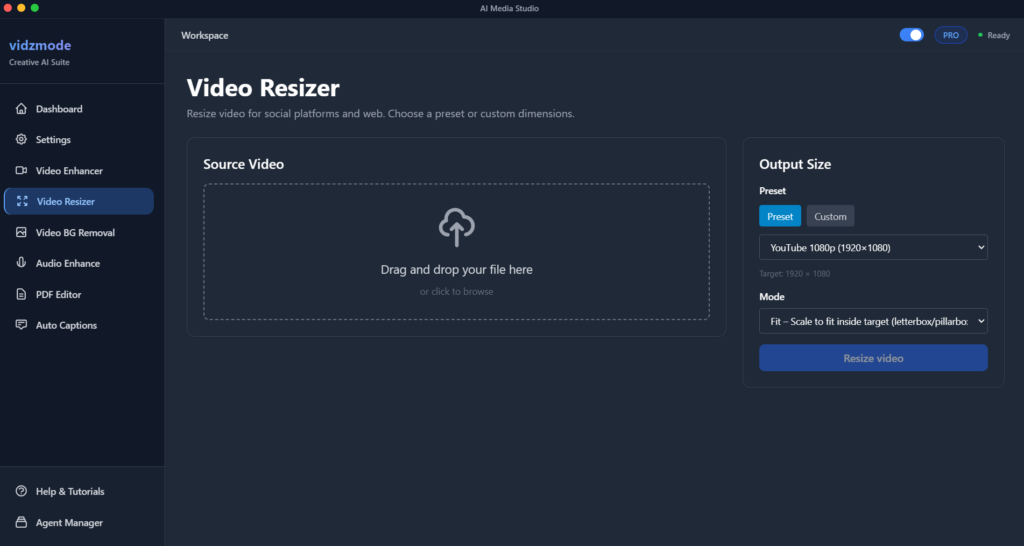

Resize video for social platforms and web. Choose a preset (Instagram Reels, YouTube, TikTok) or custom dimensions. Supports fit (letterbox), fill (crop), and stretch modes.

Key Features

  • Preset dimensions: Instagram Reels (1080×1920), YouTube, TikTok, Facebook, Web
  • Custom width and height
  • Modes: Fit (scale to fit, add letterbox/pillarbox), Fill (scale to cover, crop), Stretch
  • Works with WebM VP9 alpha (from Video BG Removal)
  • Output: MP4 (H.264)
  • Send to Video Enhance, Auto Captions, or Audio Enhance
  •  

📋How to Use

  1. 1Navigate to “Video Resizer” from sidebar or dashboard
  2. 2Add your video file
  3. 3Choose Preset (e.g. Instagram Reels) or Custom dimensions
  4. 4Select Mode: Fit (letterbox), Fill (crop), or Stretch
  5. 5Click “Resize video” and choose save location
  6. 6Wait for FFmpeg to process
  7. 7Download or send to another tool


💡Pro Tips

  • 💡Fit mode adds black bars to maintain aspect ratio; Fill crops to fill the frame
  • 💡Works with WebM VP9 alpha output from Video BG Removal
  • 💡Saves as MP4 H.264 – compatible with most platforms
  • 💡Use Preset for standard social dimensions

Troubleshooting

Q: FFmpeg “Experimental feature” or “Could not write header” error

A: The service now strips alpha and uses format=yuv420p for libx264. If issues persist, try saving as .mp4 and ensure the input video is valid.

Best Practices

Use Preset for Instagram Reels, YouTube, etc. for correct dimensions
Fit mode preserves full content; Fill mode fills the frame (may crop)
Combine with Video BG Removal: remove background → resize for social
Leave A Comment