subtitle

Blog

subtitle

Video Enhancer

Professional video enhancement with AI-powered upscaling, denoising, sharpening, color
correction, and stabilization. ✨Key Features •Upscale videos 2x
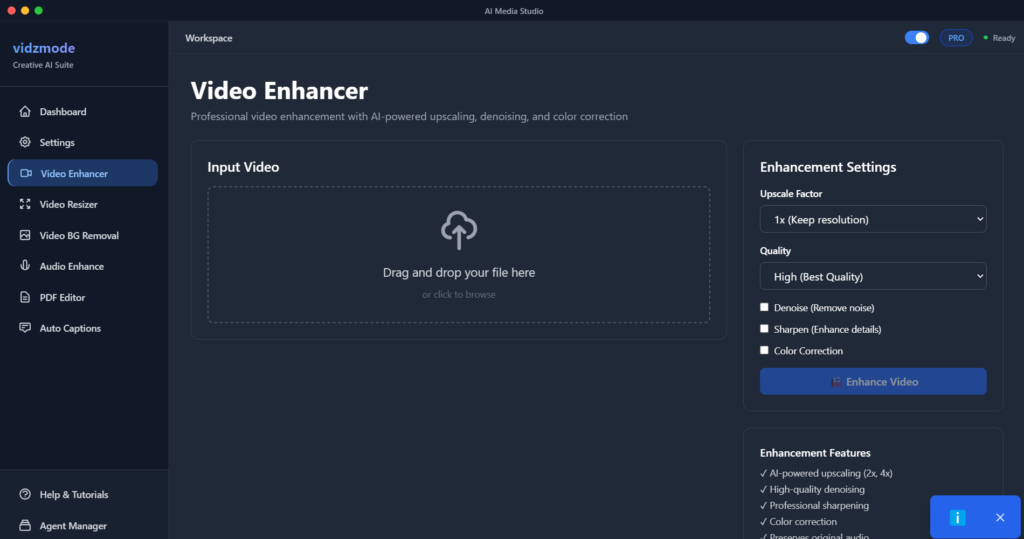

Professional video enhancement with AI-powered upscaling, denoising, sharpening, color correction, and stabilization.

Key Features

  • Upscale videos 2x or 4x resolution
  • AI denoising for cleaner footage
  • Sharpening for crisp details
  • Color correction and enhancement
  • Video stabilization
  • Frame rate adjustment
  • Quality presets (High, Medium, Low)
  • H.264 encoding with optimized settings
  •  

📋How to Use

Navigate to “Video Enhancer”

Upload your video file

Select enhancement options (upscale, denoise, etc.)

Choose quality preset

Click “Enhance Video”

Wait for processing (may take several minutes)

Download enhanced video


💡Pro Tips

  • 💡2x upscale is faster, 4x is higher quality
  • 💡High quality = best results but larger file size
  • 💡Denoising works great for grainy footage
  • 💡Stabilization helps with shaky videos
  • 💡Processing time depends on video length and quality
  • 💡GPU acceleration recommended
Leave A Comment